
At the first login, you are required to register a new account with the self-service portal. Below is an overview of the steps to register your new account and reset your Citrix password using the self-service portal.
Step 1: Register your new account with the self-service Portal
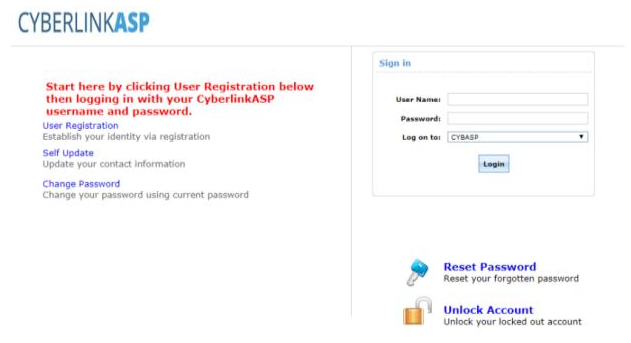
First, open your browser and navigate to the Self-Service Portal: https://selfservice.cybasp.com
Click "User Registration", then enter your user name and password
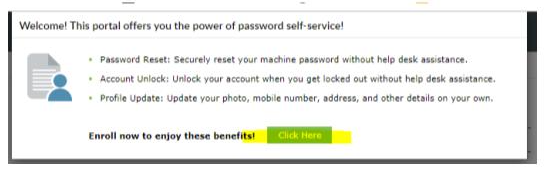
Click “Click Here” on the following page
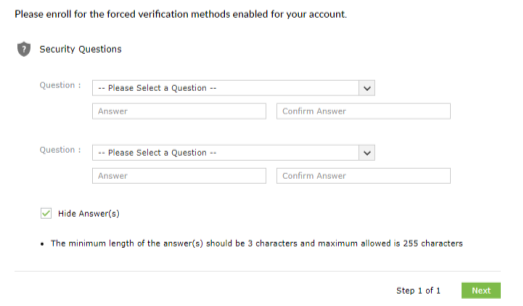
Complete the 2 Security questions, then click “Next“
Step 2: Reset your password using the Self-service Portal
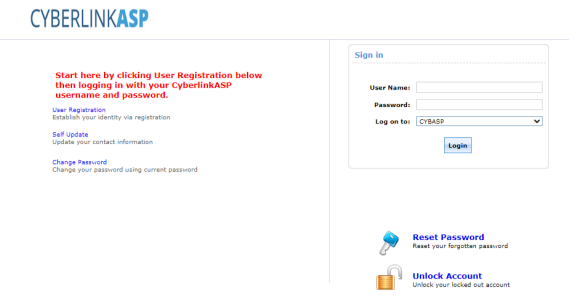
After registering your account, navigate to https://selfservice.cybasp.com, click “Reset Password“ to reset your password.
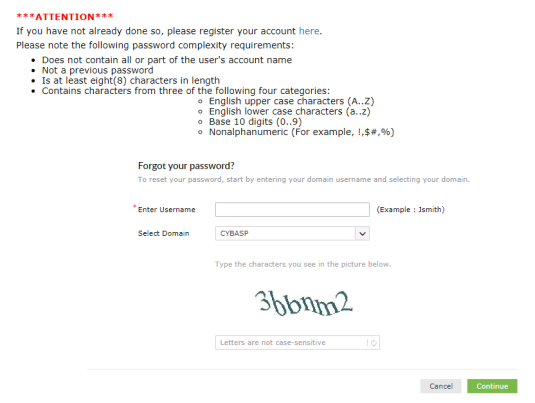
Enter your username, select CYBASP as the domain, enter the captcha information, then select “Continue”
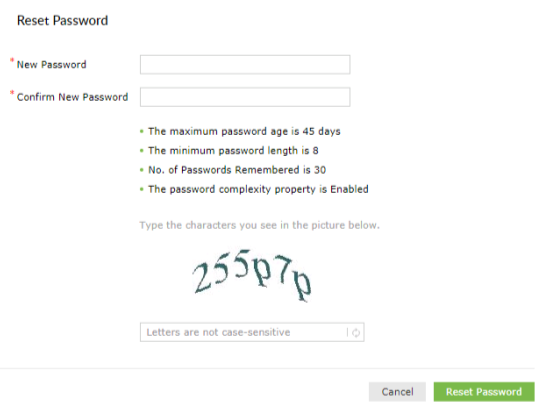
Enter your new password twice and click “Reset Password”
You have successfully reset your password!
Comments
0 comments
Please sign in to leave a comment.