
Users will get the following texts for Installation of the App and Activation of the App.
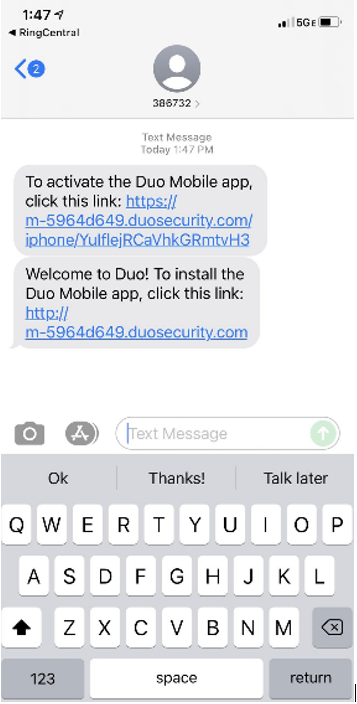
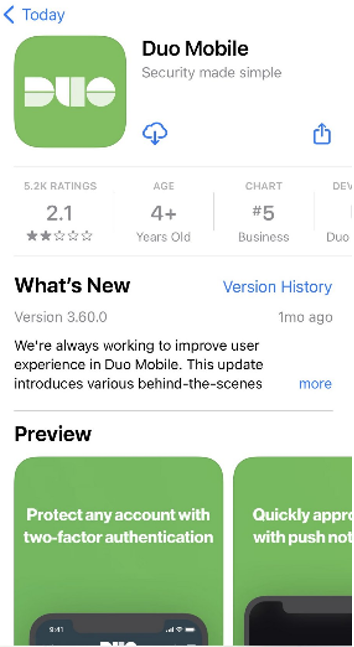
This first text will include a link to install the Duo Mobile app. The link should redirect you to the Duo Mobile app page in your phone's App Store. Complete the installation as you would any other mobile app. If you have any issues, the app can be directly downloaded from the app store. Whether it be Google or Apple.
Go back to the second text sent by our team, which will include a link to Activate your new Duo account. Clicking this link should redirect you to the now-installed Duo Mobile app. Select Allow" for your notification preferences when prompted, and then the activation process should be completed automatically.
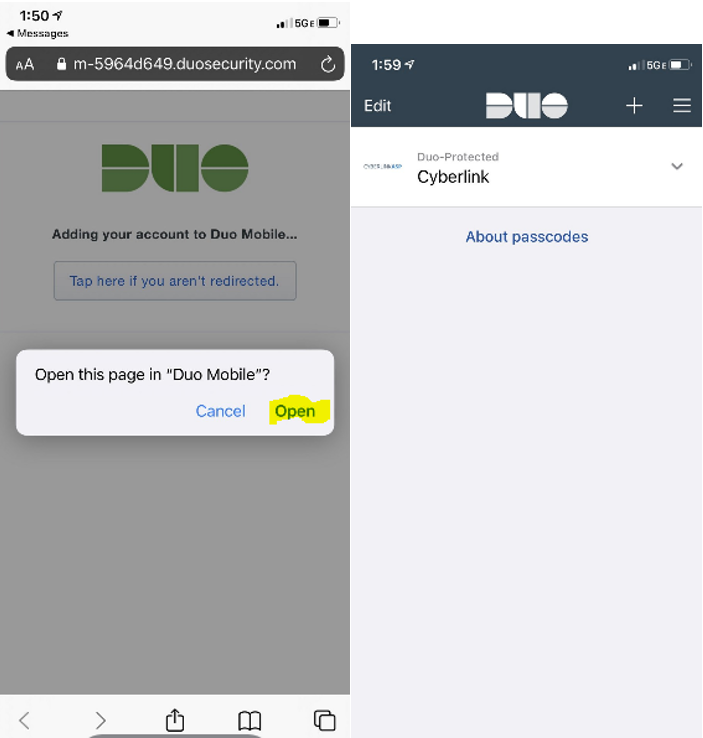
Next time you log in, you should receive a push notification on your mobile device through the Duo Mobile app.
If you continue you have issues with app installation or activation, please do not hesitate to reach out to our support team for assistance.
Phone: 972-262-5200
Email: support@cybasp.com
Comments
0 comments
Please sign in to leave a comment.