
Objective:
- I forgot my Support Portal password. This article details how to reset your support portal password. Note: this does not change your Cyberlink or email password. This is only for the Cyberlink Support Portal.
Procedure:
- Open the browser and enter support.cybasp.com into the address bar.
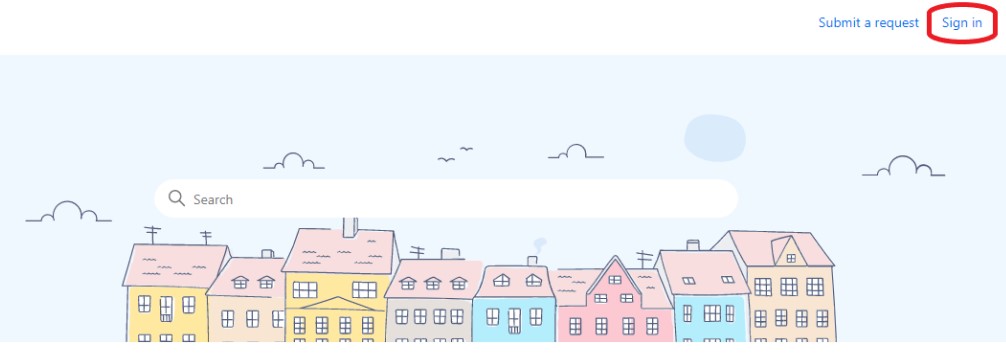
- Click on sign-in located at the top right of the page.
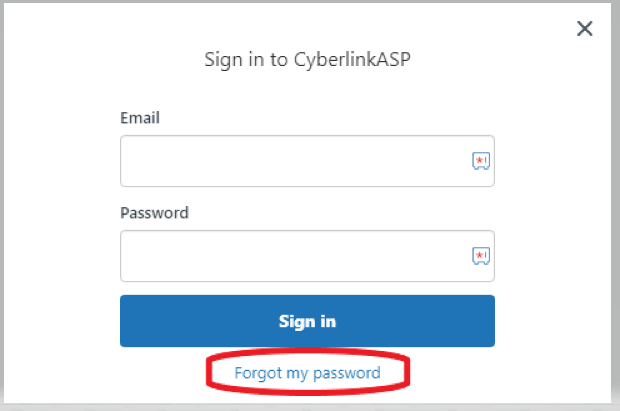
- Click on Forgot my password located below the sign in box.
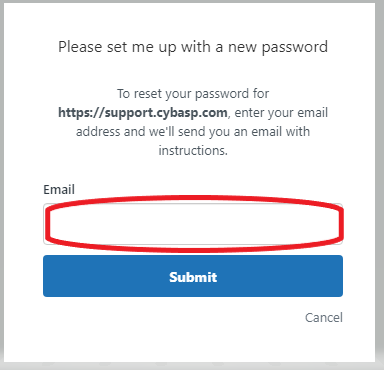
- Enter your email address and submit
- Check email, open the link and enter the new password.
- Password requirements:
- Must be at least 5 characters
- Must be fewer than 128 characters
- Must be different from the email address
- To login go back to support.cybasp.com, enter your email address and the new password.
Comments
0 comments
Please sign in to leave a comment.